Blockfy
BLOCKFY
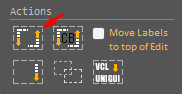
This resource was created to help, mainly, the migration of projects in unigui to RadCORE.
Normally, in our forms, we create a LABEL and below an editing component ( Edit, Combobox, Memo etc ).
Blockfy will place your components inside a responsive block ( rcBlockNN ) and adjust their positions, sizes and anchors to suit RadCORE's responsiveness.
Let's see the following example:
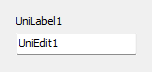
Select the 2 components and then open RC ELEMENTS.
Click the BLOCKFY button.
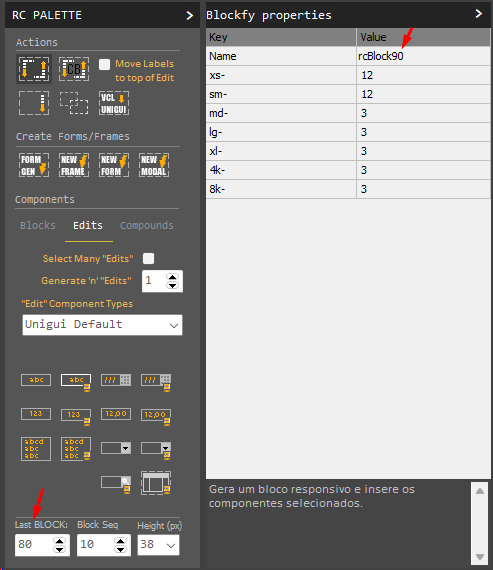
Note that the name of the block that will be generated will be based on the sequence of the last block within the form ("Last Block").
In the example above, the last block is 80, so "rcBlock90" will be generated.
IMPORTANT
You can adjust the block sequence before clicking on "BlockFy" (or any other RC ELEMENTS feature that generates new blocks) by manually adjusting the "Last Block", the "Block Seq" which defines the interval between the blocks to be generated, and the default "Height" you want to adopt for your blocks.
After clicking on BlockFy and making your adjustments, click OK or press F5 to generate the block.
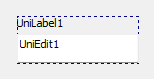
Note that "abel" received "alTo" and "edit" Bottom.
"Edit" with Button
Following the same pattern explained previously, see the following example where we have an "edit" with a button:
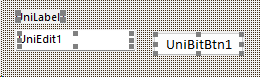
Select the 3 components (or 2 if there is no label) and run BLOCKFY and see the result below:
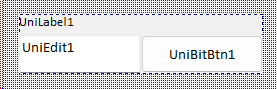
The "edit" will only have left and right anchoring (without alBottom) to expand with the responsiveness of the block and the button anchoring only on the right.
Grids and Memos
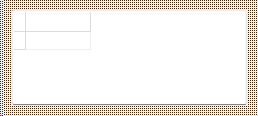
After BLOCKFY it will look like this:
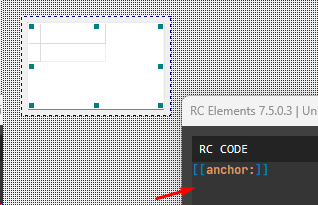
Note:
- Components that use the "fieldlabel" property will receive a linked UniLabel and this property will be deleted. This is necessary to ensure better compatibility with responsive blocks.
- Try to use few components to apply blockfy.
- Always observe the numbering given to the created block. By default, blockfy will always create a sequence based on the numbering of the last block.
- In more complex layouts, manual adjustment may be necessary after running Blockfy.
Created with the Personal Edition of HelpNDoc: Produce electronic books easily