Parameters
RC ELEMENTS: Complete
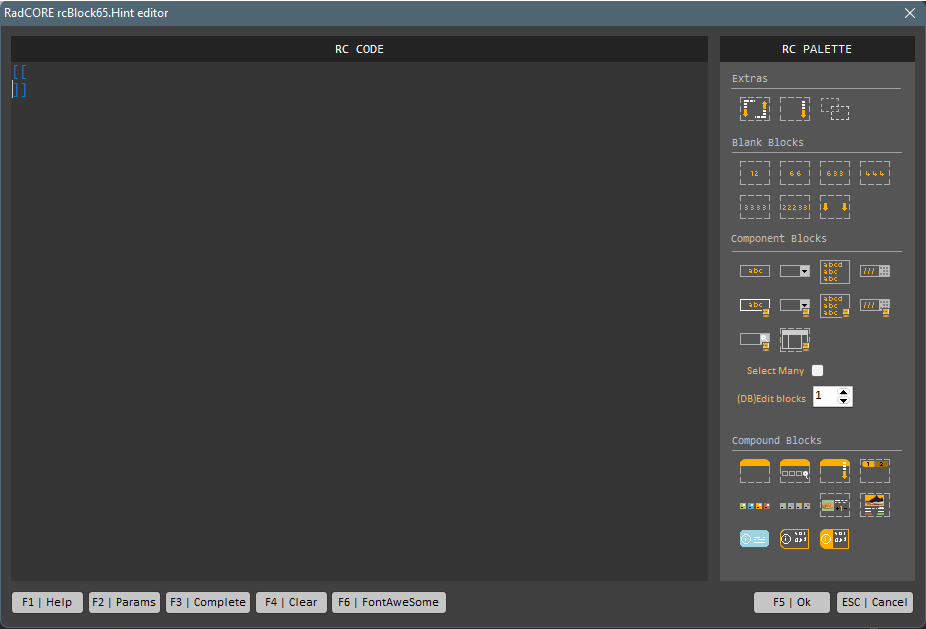
Pressing F3 (do not click) with the RC CODE blank will add the brackets to fill in the commands.
Pressing F3 (do not click) immediately after typing some attributes will add the basic structure of the typed attribute.
For example:
Type "cols:" and then press F3
Type "hr-childs:" and then press F3
Type "hr:" and then press F3
Type "scale:" and then press F3
Type "align:" and then press F3
Type "hint:" and then press F3
Type "center:" and then press F3
Type "lkpfilter:" and then press F3
Type "form-label:" and then press F3
Display While Typing
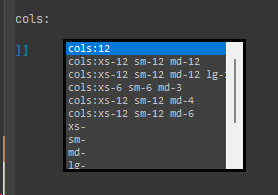
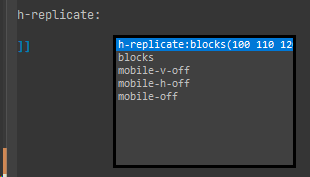
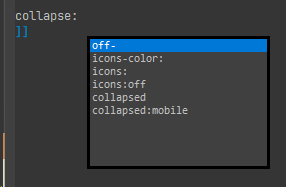
Starting with version 8.0.0.0, when you type an attribute and press "Ctrl," a floating box will be displayed with syntax suggestions (for some attributes) and their parameters.
Created with the Personal Edition of HelpNDoc: Free EPub producer