Creating a CRUD
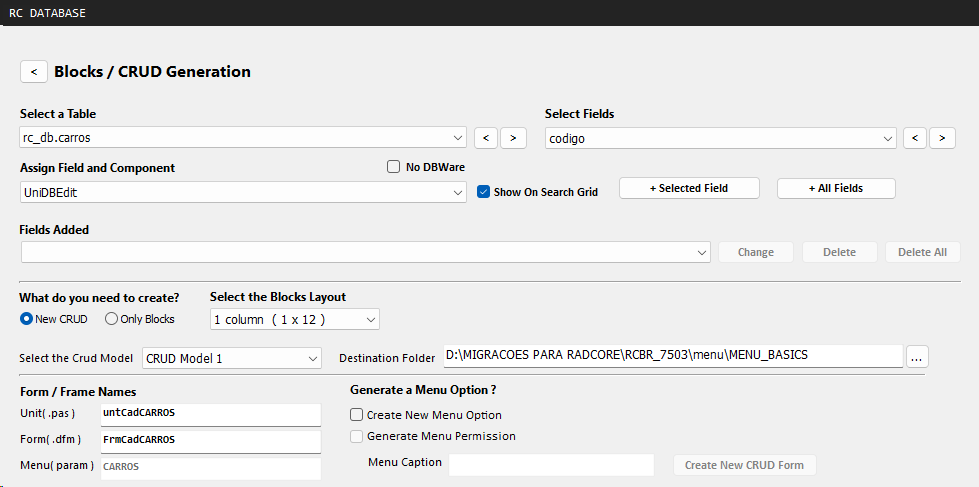
Select Crud Model
Select the CRUD model you want to create.
Destination Folder
Enter the project folder where the .pas and .dfm files for the new form will be created.
Form / Frame Names
By default, file names will be prefixed with "untCad" and "FrmCad" followed by the name of the selected table.
The parameter name used in the RadCORE dynamic menu will be the same as the name of the selected table.
You can change the names.
For more details on the RadCORE dynamic menu structure, see the "Main Menu" section.
Generate a Menu Option?
In addition to creating a pre-made form, you can also add your call to action to the dynamic menu system and permission control.
In the Menu caption field, you must enter the text that will be displayed in the menu.
Created with the Personal Edition of HelpNDoc: Single source CHM, PDF, DOC and HTML Help creation