New Fonts
ADDING NEW FONTS
By default RadCORE uses "GOOGLE FONTS" and already brings a list with some models.
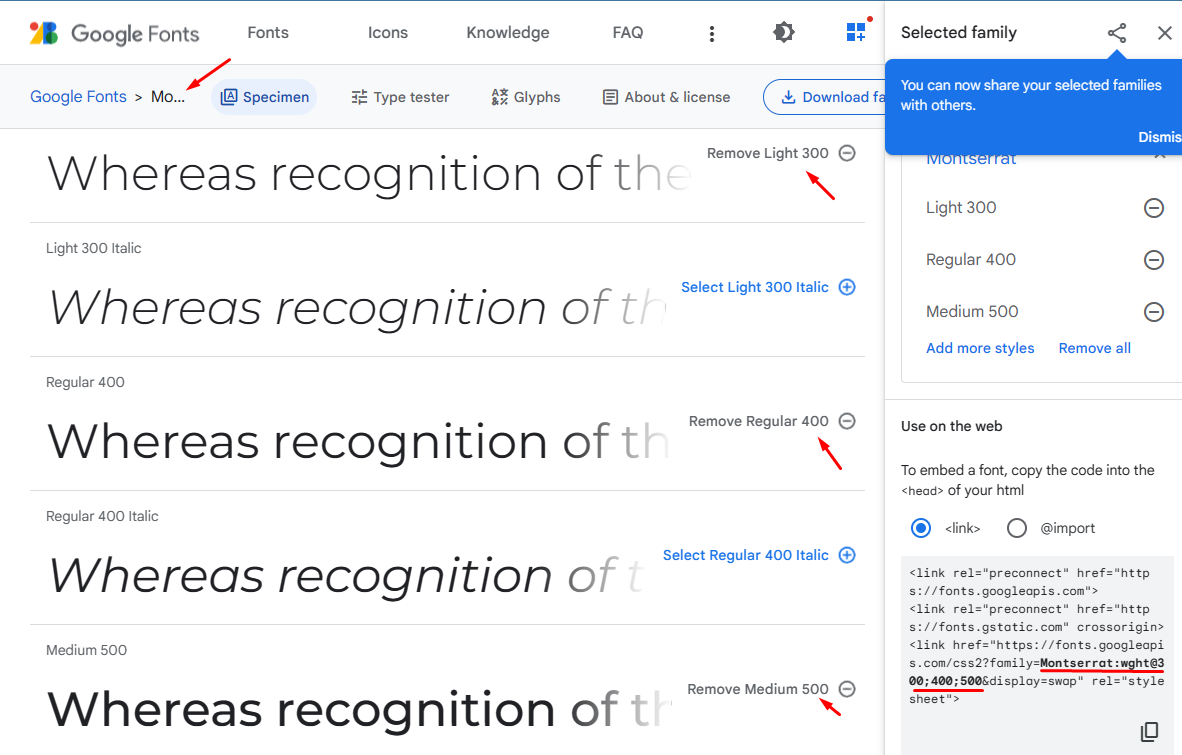
By accessing "https://fonts.google.com/" you can see more fonts and if you want to add them to RadCORE, just put the name of the chosen font in the "ComboBox" of the "layout" tab.
You can add new fonts by simply copying the font name from the above address and putting it in the "rc-fonts.txt" file.
note:
Some fonts have different configurations, so to avoid conflicts use the same naming used as an example for the "Montserrat" font.

Created with the Personal Edition of HelpNDoc: Free Web Help generator