Start here: STARTER
RADCORE STARTER
The STARTER version is the closest to a standard UNIGUI application, as it will not have ready-made examples such as menus, login, etc.
As described in the "VERSIONS" topic, RadCORE offers several templates with ready-to-use features, but you can customize everything to your liking and take advantage of the layout and responsiveness features of the STARTER version.
With the STARTER version, we will take the first steps in learning responsive blocks.
In RC WIZARD, after clicking on the STARTER template, the following screen will be displayed:
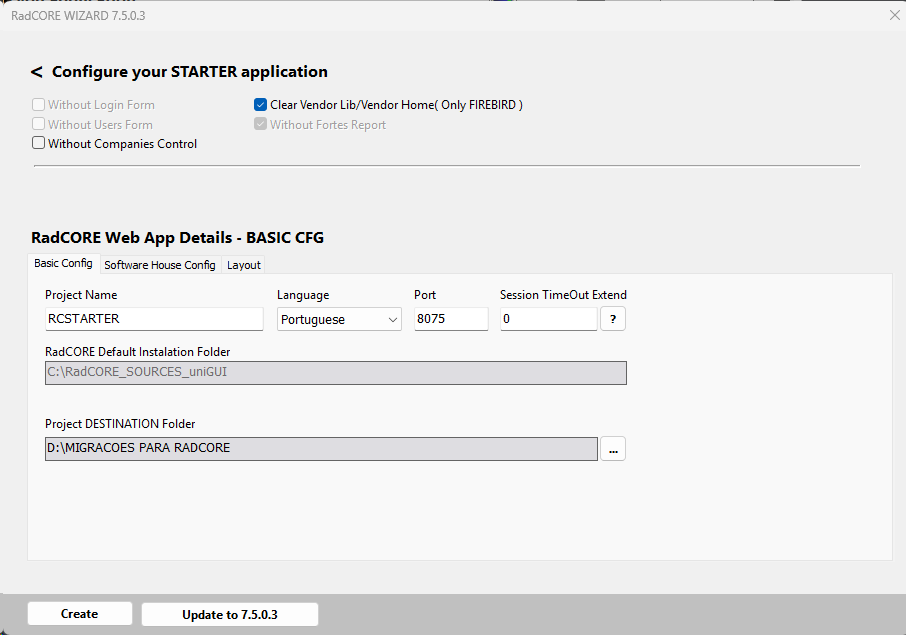
To make it easier to begin your studies, we will not change any of the settings above at this time.
BASIC CONFIG
Project Name: Enter your project name without spaces. You can use spaces in "App Name."
Port: UNIGUI uses port 8077 by default, and RadCORE uses 8075.
Language: Select the language (other language options will be displayed when the application is launched).
Session Timeout: A UNIGUI application typically has a session timeout, and you can define whether, upon reaching this limit, the session of the application being created should be extended.
You can change this at any time after creating the application.
Note:
The required RadCORE installation folder is the same as the one indicated in "RadCORE Default Installation Folder."
Always maintain the folder indicated in the "Installation" section.
Before proceeding, make sure you did this correctly to avoid errors when creating the project and that the destination folder is clean.
Do not create a new project overwriting a previous one; delete it first.
SOFTWARE HOUSE CONFIG
In this tab, you'll define your company's information and the default password for accessing the UNIGUI application's "SERVER."
LAYOUT
In this tab, you'll define your application's initial color theme.
You can change this at any time after creating the application.
CREATING THE APPLICATION
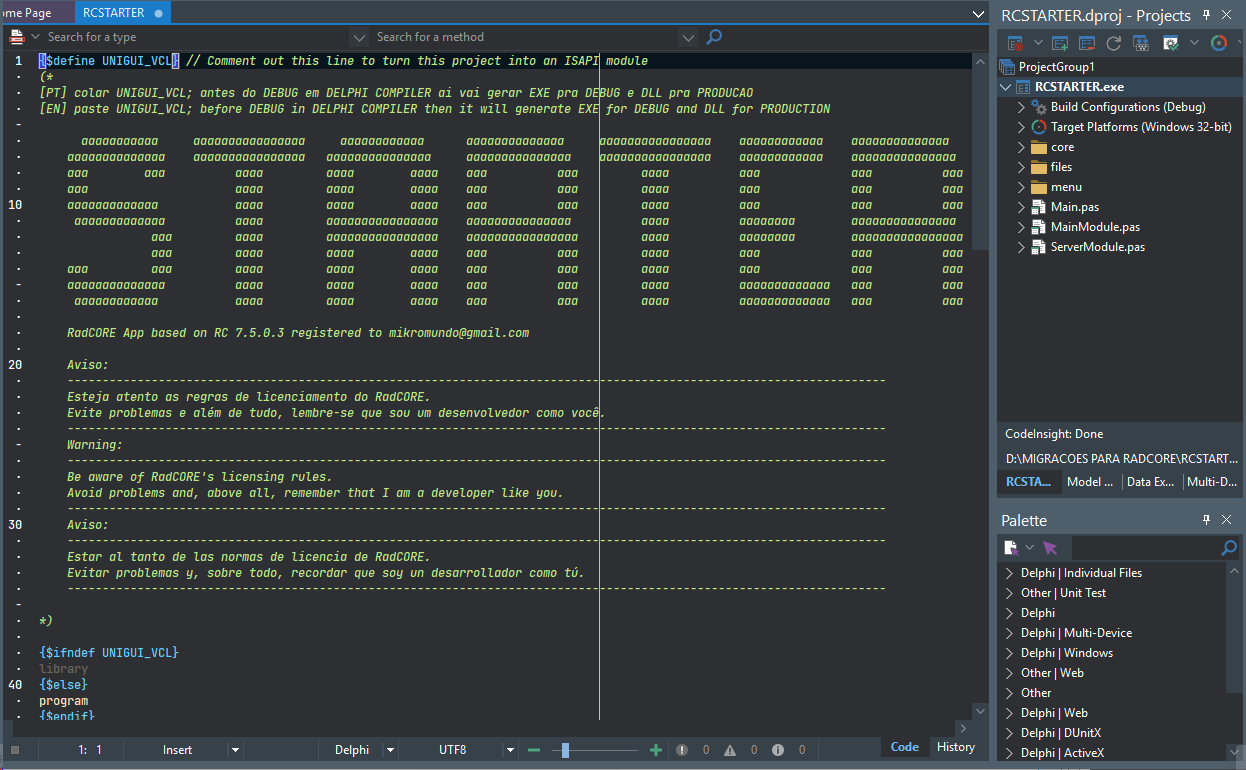
After defining the application details, click the CREATE button to generate the decryption source code.
If everything went correctly, you'll see this result:
Created with the Personal Edition of HelpNDoc: Easily create Help documents