VCL to UNIGUI
VCL TO UNIGUI
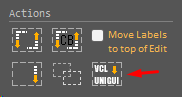
With the aim of helping developers to migrate their projects to the web, RadCORE version 4.1.0.0 brings a basic component converter.
VCL-to-UNIGUI will reduce your work but it is far from being a professional PARSER, but it will definitely help you!
Internally, the converter will recognize most of the basic components of the VCL including some third-party versions such as:
- DevExpress
- TMS
- Raize( Kanopka )
- Jedi
TUniBitBtn
TUniSpeedButton
TUniLabel
TUniRadioButton
TUniRadioGroup
TUniDBRadioGroup
TUniCheckBox
TUniDBCheckBox
TUniDBText
TUniImage
TUniDBImage
TUniContainerPanel
TUniEdit
TUniDBEdit
TUniDBLookupComboBox
TUniFormattedNumberEdit
TUniDBFormattedNumberEdit
TUniDBGrid
TUniStringGrid
TUniDateTimePicker
TUniDBDateTimePicker
TUniComboBox
TUniDBComboBox
The process is simple. Open 2 DELPHI instances:
1) With your project in VCL;
2) With your RadCORE(UNIGUI) project;
In the VCL version, select the components you want to convert by clicking on each one or by clicking on its "parent":
Note: If PARENT selection fails, individually select each component by holding down the CTRL key.
After selection, just press CTRL + C (copy to clipboard).
Open the DELPHI instance with RadCORE( UNIGUI ), click on your form/frame with the right mouse button and select RC ELEMENTS from the context menu.
Now just click on the VCL-to-UNIGUI button and click on the OK button.
Note: If the conversion fails, it is sometimes due to a failure to access the clipboard. In some cases, just press CTRL V or repeat the operation.
The converter isn't a magic, 100% efficient solution. Composite components like PageControls can't be converted yet.
To do this, create your PageControl using the UniGui standard, add the tabs, and then convert the content of each tab individually.
Created with the Personal Edition of HelpNDoc: Write EPub books for the iPad