More Details
RTL
We can apply a certain class when the application is in RTL mode (right to left)
Let's see the LOGIN -> btnLogin example
[[
cls:ButtonThemeCrud |
ico:fas-reply 1x rtl:rc-mirror-h
]]
When in RTL, a class will be applied that will "mirror" the arrow icon.
It is also possible to hide the caption if you use a button on a responsive block (rcBlock) and it reduces its size to 1 column, for example:
use the attribute:
caption-hide: mobile-h

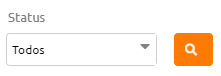
Grouped buttons
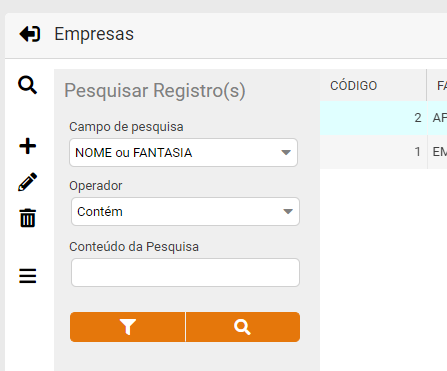
Let's see the attributes of the buttons above:
btnSearchMoreFilters: cls:ButtonThemeCrud-no-border-right
btnSearchCRUD: cls:ButtonThemeCrud-no-border-left
Note
If you have a long caption and want to break the line, just use the "<br>" html tag.
Ex: Save<br>Contacts
See more details and / or examples at untFrmBaseCRUD.
Created with the Personal Edition of HelpNDoc: Free Qt Help documentation generator